
Blog
News and updates on our apps
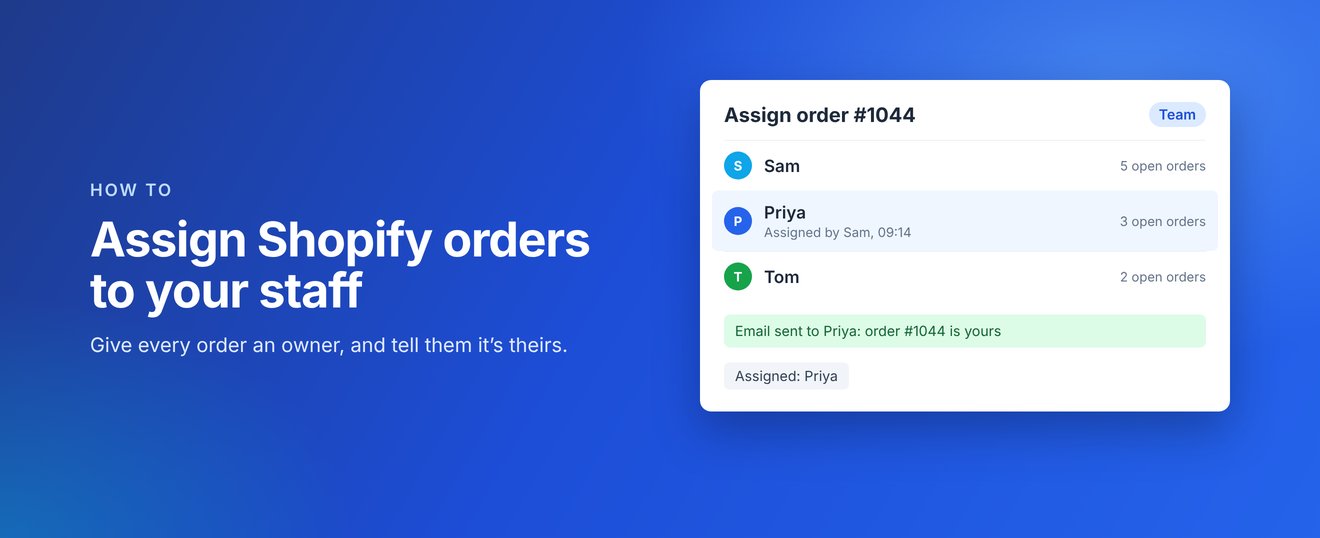
When several people pick up orders, it is easy for an order to sit untouched because everyone thinks someone else has it. Here is how to give every Shopify order an owner with Handoff: Order Assignment.
1. Install Handoff and build your team
Install Handoff from the Shopify App Store. Staff in your store are added to your team automatically when they open Handoff. You can also add anyone else by hand, such as a freelancer or someone in your workshop, with their name and email address. They do not need a Shopify account.
2. Add Handoff to your order page
Open any order, click + App block at the bottom of the page, choose the Handoff block and pin it. It then shows on every order for your whole team.
3. Assign orders
- One order: pick the person in the Handoff block on the order page.
- Many orders: tick up to 50 orders in your Orders list, open the bulk actions menu and choose Handoff's assign action.
The person gets an email saying the order is theirs. The email includes the order number, not your customer's details.
4. See who has what
Each assigned order is tagged with the person's name, such as Assigned: Priya, and the tag changes if the order is reassigned. Filter your Orders list by that tag and save it as a view to give each person a quick link to their orders. Handoff also shows how many open orders each person has, so you can share work out evenly, and every change records who made it and when.
Handoff costs $6.99 USD a month with a 14-day free trial, billed through Shopify.
Coming soon
Handoff: Order Assignment is coming soon to the Shopify App Store. Find out more at handoff.zieasoft.com, read the Handoff help guides, or see how it fits with our other apps on our apps page.